%20(converted).webp)



How to Use Internet Download Manager: Complete Beginner Guide 2026
Learn how to use Internet Download Manager (IDM) step-by-step. Discover how to speed up downloads, resume broken files, download videos, and schedule large files easily.

%20%E2%80%93%20Complete%20Beginner%20Guide%202026.webp)
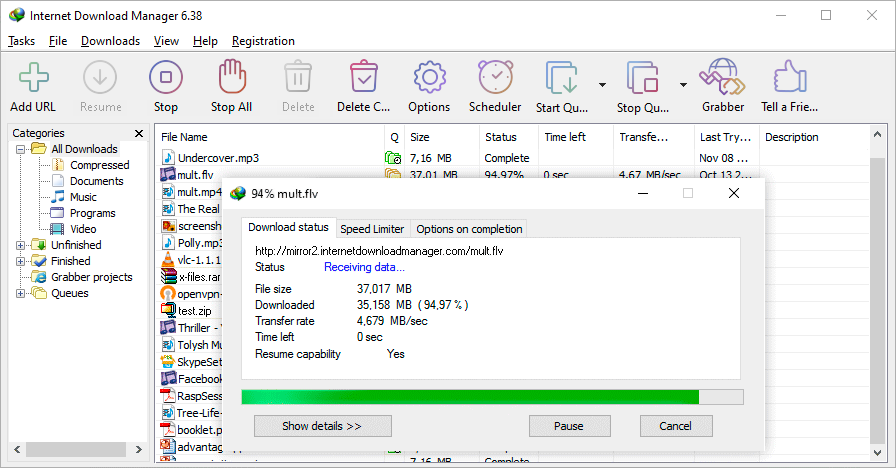
If you regularly download software, videos, or large files, Internet Download Manager (IDM) can dramatically improve your experience. IDM is a powerful Windows-based download manager designed to increase download speeds, resume broken downloads, and organize files efficiently.
In this complete guide, you'll learn how to use IDM step-by-step.
What Is Internet Download Manager (IDM)?
Internet Download Manager (IDM) is a premium download manager for Windows that accelerates downloads by splitting files into multiple segments. It also allows users to pause, resume, and schedule downloads.
Whether you're downloading large software installers or media files, IDM ensures faster and more stable downloads.
Step 1: Install and Enable Browser Integration
-
Download and install IDM from the official website.
-
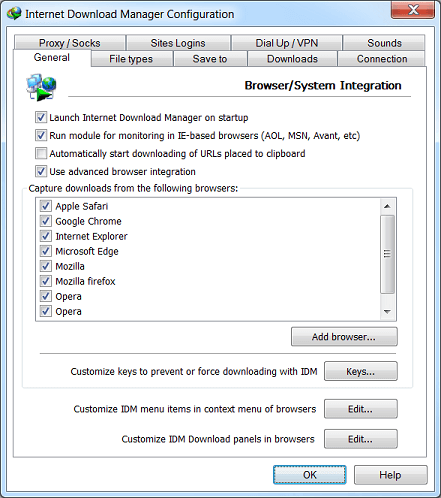
During installation, allow browser integration.
-
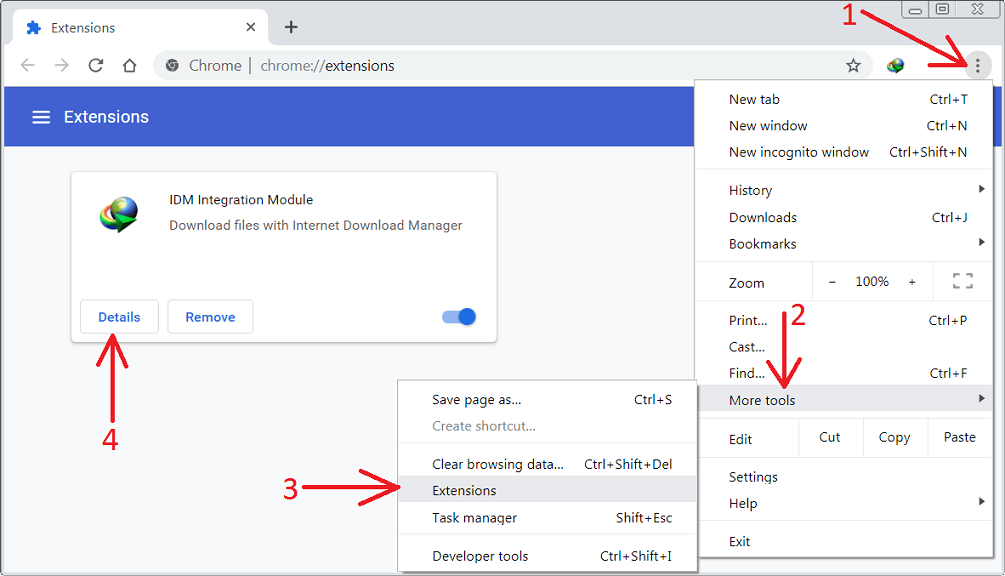
Restart your browser (Chrome, Edge, Firefox, etc.).
-
Make sure the IDM extension is enabled.
Once enabled, IDM will automatically capture downloadable files from your browser.
Step 2: Download Files Automatically
When you click a download link:
-
IDM will display a download dialog box.
-
Choose your save location.
-
Click Start Download.
IDM accelerates the process by dividing the file into multiple segments for faster speed.
Step 3: Add a Download Manually
If IDM does not detect a file automatically:
-
Open IDM.
-
Click “Add URL”.
-
Paste the direct download link.
-
Click Start Download.
This method works perfectly for private or hidden download links.
Step 4: Resume Broken Downloads
One of IDM’s best features is resume capability.
If your internet disconnects:
-
Open IDM.
-
Select the interrupted file.
-
Click Resume.
As long as the server supports resume, IDM will continue from where it stopped.
Step 5: Download Videos from Websites
When playing a video online:
-
A “Download This Video” button will appear.
-
Select your preferred quality (720p, 1080p, etc.).
-
Click download.
This makes IDM a convenient tool for downloading tutorials, media files, and online content.
Step 6: Schedule Downloads
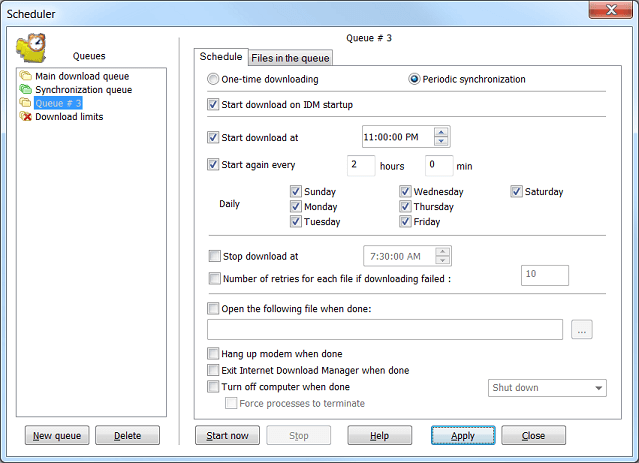
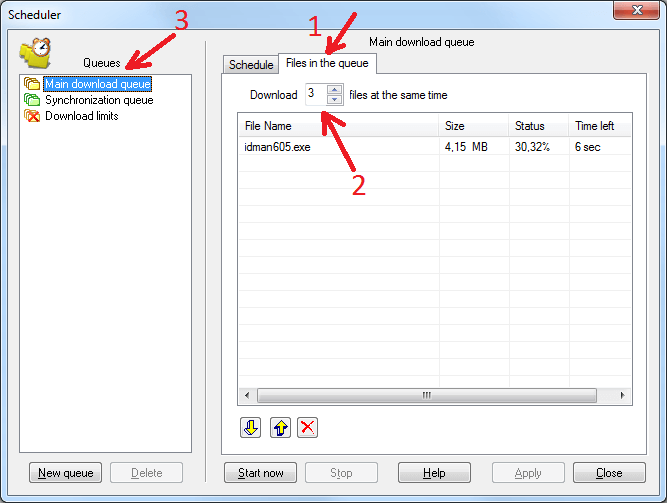
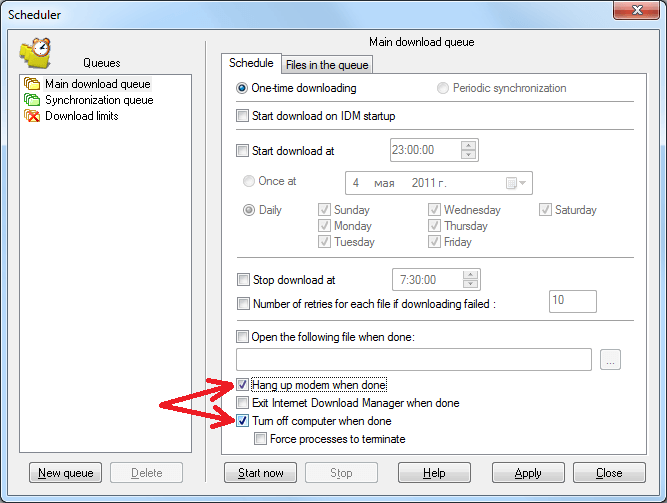
IDM includes a built-in scheduler for automated downloads.
-
Open IDM.
-
Click Scheduler.
-
Add files to a queue.
-
Set start and stop times.
-
Optionally enable automatic PC shutdown after completion.
This feature is perfect for large overnight downloads.
Step 7: Optimize IDM for Maximum Speed
To increase download speed:
-
Go to Options → Connection.
-
Select the correct connection type.
-
Increase Max connections number (8–16 recommended).
-
Avoid downloading too many large files at once.
Proper configuration can significantly improve performance.
Final Thoughts
Internet Download Manager remains one of the most reliable download managers for Windows users. With features like segmented downloading, resume support, browser integration, and scheduling, it’s an essential tool for anyone who frequently downloads large files.
What's Your Reaction?
 Like
1
Like
1
 Dislike
0
Dislike
0
 Love
0
Love
0
 Funny
0
Funny
0
 Angry
0
Angry
0
 Sad
0
Sad
0
 Wow
0
Wow
0


